
Direct answer
Open Activity, switch to Replays, load recent recordings, and search by person, start URL, or recording ID. The app requests replay data from PostHog and renders supported snapshot formats locally on the device.
Session replay is most useful when it answers a focused question: what happened before an error, did a tap register, or where did a user stop? On a phone, begin with the recording metadata and search filters instead of scrubbing every session in the list.
PostHog Pocket Dashboard supports recent recording lists, metadata, and local playback paths for native screenshot frames and web rrweb events. A recording may still lack the snapshots required for visual playback, in which case the app reports why rather than inventing frames.
Before you start
- Session replay is enabled and recordings exist in the selected PostHog project.
- A personal API key with read access to session recordings and their snapshots.
- Enough network bandwidth to load recording metadata and snapshot chunks.
- A specific person, URL, recording ID, or incident window to investigate.
Step-by-step instructions
Open Activity and choose Replays
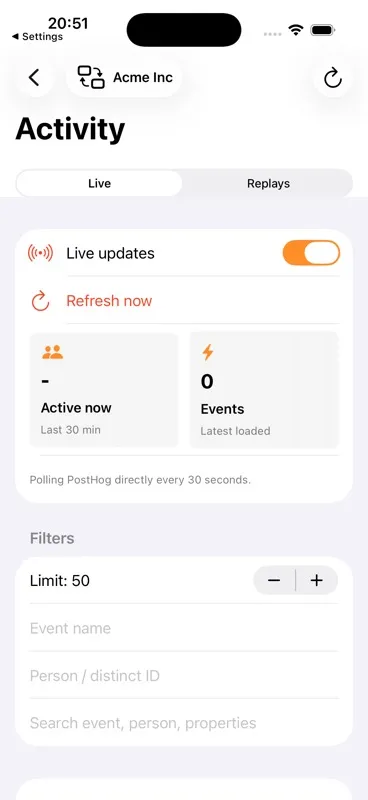
Activity separates the live event feed from session replays. Switch to Replays so event filters do not get confused with recording search.
Choose a recent-recording limit
Start with a small list. Increase the count only when the incident falls outside the first result set.
Search the metadata
Filter by person/distinct ID, start URL, or recording ID. This search is designed to narrow the loaded recording list before opening large snapshot data.
Inspect duration and error context
Review the recording row and metadata for duration, active time, click count, keypress count, and console errors. These signals help decide whether visual playback is worth loading.
Load and control playback
Open a recording, load its playback, then use play/pause and the timeline controls. Web replay events are rendered locally with the bundled rrweb runtime; supported native replays use returned visual frames and pointer events.
What happens when playback loads
The app fetches detail and snapshot sources
It requests recording detail plus snapshot information from the selected PostHog project and environment endpoints.
The parser identifies the replay format
Screenshot frames and pointer events follow the native path; rrweb snapshot events follow the web renderer path.
The device renders the replay
Playback is constructed locally. The app shows a specific unavailable state when PostHog did not return a full snapshot or usable visual frames.
Options and limitations
- A recording without an initial full web snapshot cannot be reconstructed visually.
- Some recordings contain metadata but no screenshot frames or supported replay events.
- The mobile app does not add tags, share recordings, or mutate replay data in PostHog.
- Large recordings can take longer to load and should be narrowed by metadata first.
Common mistakes
Opening recordings without a question
Start with a person, URL, error, or time window. Random playback consumes time and rarely produces a decision.
Assuming metadata means visuals exist
The list can load even when a recording lacks the full snapshot required for playback.
Searching the event feed
Live Activity and Replays are separate panes. Switch to Replays before searching for recording IDs or start URLs.
Troubleshooting
No replays are returned
Confirm session replay is enabled in the project, widen the recent-recording count, and verify the key has recording read access.
Visual replay is unavailable
Read the on-screen reason. A missing full snapshot or missing visual frames is a property of the returned recording data, not something the app can reconstruct safely.
Playback does not fit the screen
Rotate or reopen the recording and confirm the latest app build. The player scales the recorded viewport to fit the available mobile container.
Related questions
Are replay snapshots uploaded to another service?
No app-owned replay backend is implemented. The app fetches snapshot data from the selected PostHog host and renders supported formats locally.
Can every PostHog replay play on iPhone?
No. Playback depends on the snapshot data PostHog returns. Missing full snapshots or unsupported visual data can make a recording unavailable.
Primary references
Product behavior above is based on the app source. These official PostHog references cover the underlying PostHog capability: